All settings are in WooCommerce → Accounting Export (required capability: manage_woocommerce).
- Wizard tab: choose your chart of accounts and apply it. The chart is suggested from the shop’s country. The usual accounts and journals are filled in at once. Available charts: France (PCG), Belgium (PCMN), Germany (DATEV SKR03 or SKR04) and United Kingdom (Sage 50-style numbering).
- General tab: adjust accounts and journals, and choose the document number source. In many countries, invoices must follow a continuous sequence; the WooCommerce order number does not.
- VAT & OSS (optional): one VAT account per tax class, and one account per country for B2C sales in the EU (OSS).
- Payment Gateways: enter the bank account of each gateway to generate payment entries. Keep a payment gateway fees account to book Stripe and PayPal fees.
- Product Categories and Customer Accounts (optional).
- Save Settings. The page returns to the current tab; any rejected value is explained and the previous one is kept.
- Generate an Export: choose the format (FEC in the free version, 13 formats in Premium) and the period, click Preview to check, then Start the accounting export. The export runs in the background: you can leave the page.
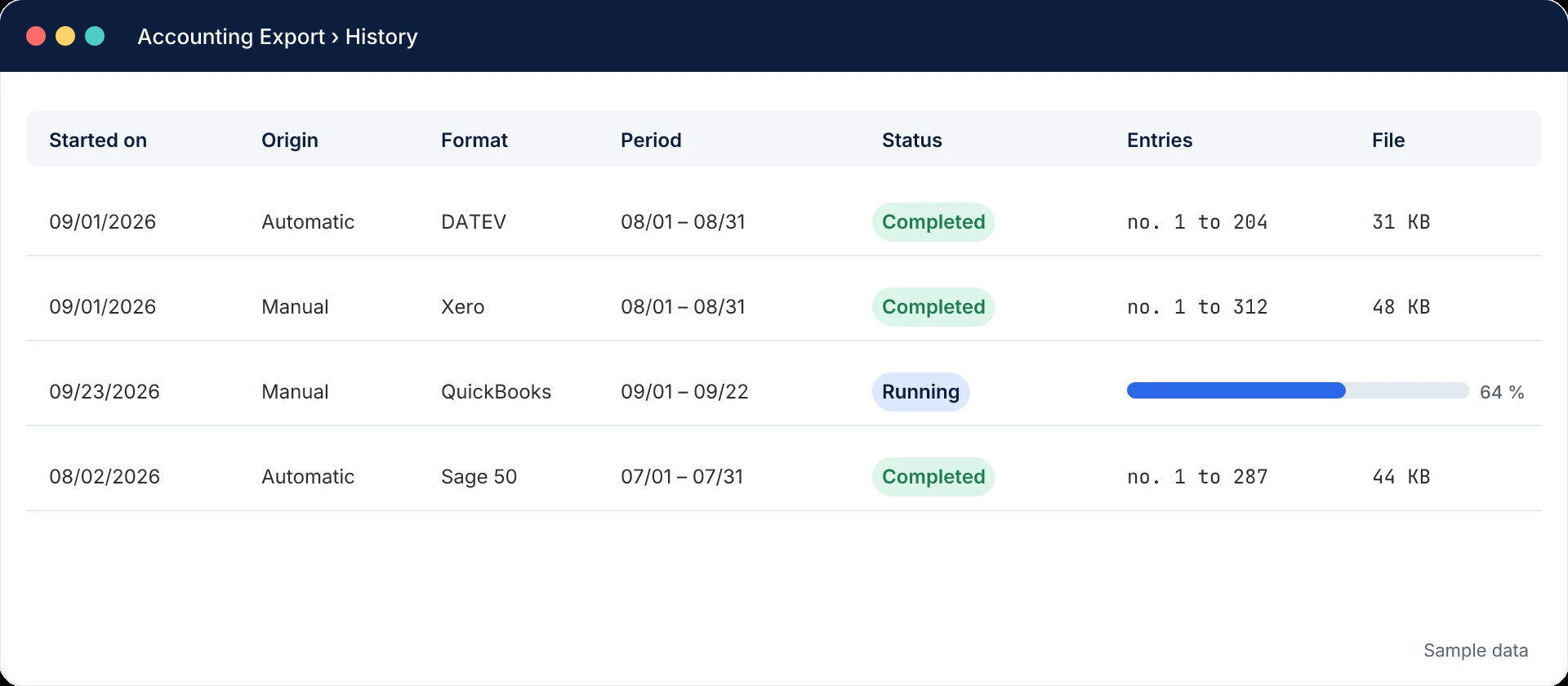
- History: follow the progress and download the file once the export is “Completed”.
Have it validated. The predefined charts are starting points, not a guarantee: the real accounts depend on your company, your VAT scheme and your accountant’s habits. Have the configuration validated by your accountant before the first export.
Mis à jour le 7 octobre 2026
Cette page ne répond pas à votre question ? Notre équipe vous aide.
Contacter le support