Automatic mode (default)
- An empty field is filled in directly.
- A title taken from the file name (for example “IMG_2024”) is replaced directly.
- A field that already contains another text is not changed: SafeAlt proposes its text on the Proposals screen.
- The title is never proposed as a replacement for a title you chose.
- A result flagged “to check” is never written automatically: it always goes through the proposals.
Review mode
Every text goes through the Proposals screen before being applied (setting I check every change). Choose this mode if you want to approve each text.
The Proposals screen
| Tab | Content |
|---|---|
| Awaiting review | Proposed texts: compare the current text with SafeAlt’s. You can edit the proposal, Replace, Keep current or ask SafeAlt to Regenerate the text. |
| Applied | Accepted proposals. |
| Rejected | Proposals you turned down. |
| Failures | Images that could not be described. A failure is never counted towards your quota. |
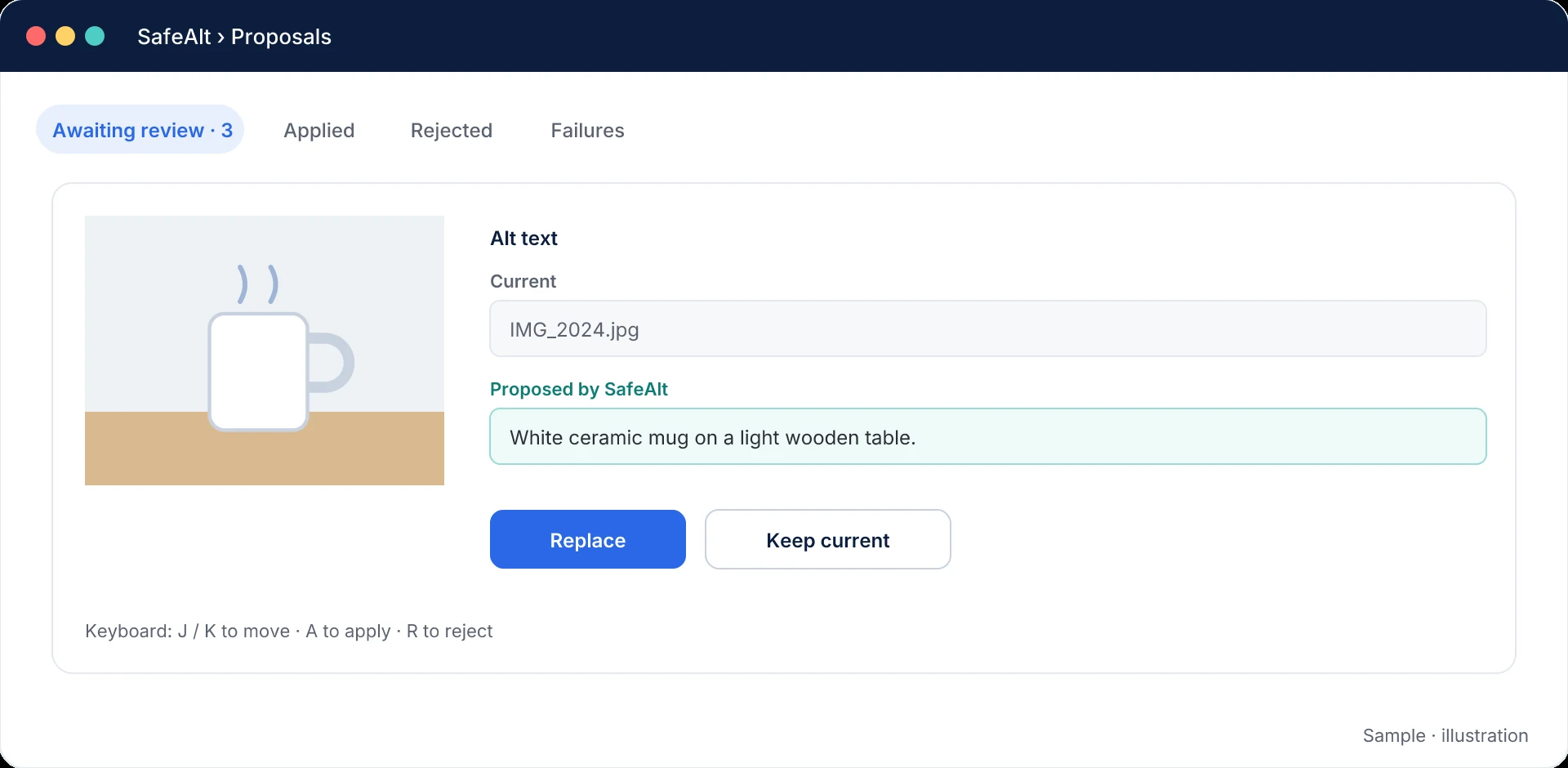
Keyboard shortcuts
| Key | Action |
|---|---|
| J / K | Next / previous proposal |
| A | Apply |
| R | Reject |
Going back
SafeAlt keeps, field by field, the value that existed before it stepped in. The Reset button restores these values, except for fields you have changed since.
WordPress fields used
| SafeAlt field | WordPress field |
|---|---|
| Alt text | Image alternative text |
| Title | Media title |
| Caption | Media caption |
| Description (option, off by default) | Media description |
Mis à jour le 7 octobre 2026
Cette page ne répond pas à votre question ? Notre équipe vous aide.
Contacter le support