New images: automatic
When the Describe new images as soon as they are uploaded setting is on, each uploaded image joins SafeAlt’s queue. No call is made during the upload: it is never slowed down. A notice tells you whether the image will be processed.
Existing images
Several ways to have the images already in your media library described:
- The setup assistant, at its last step: it offers to describe the media library images that have no alt text.
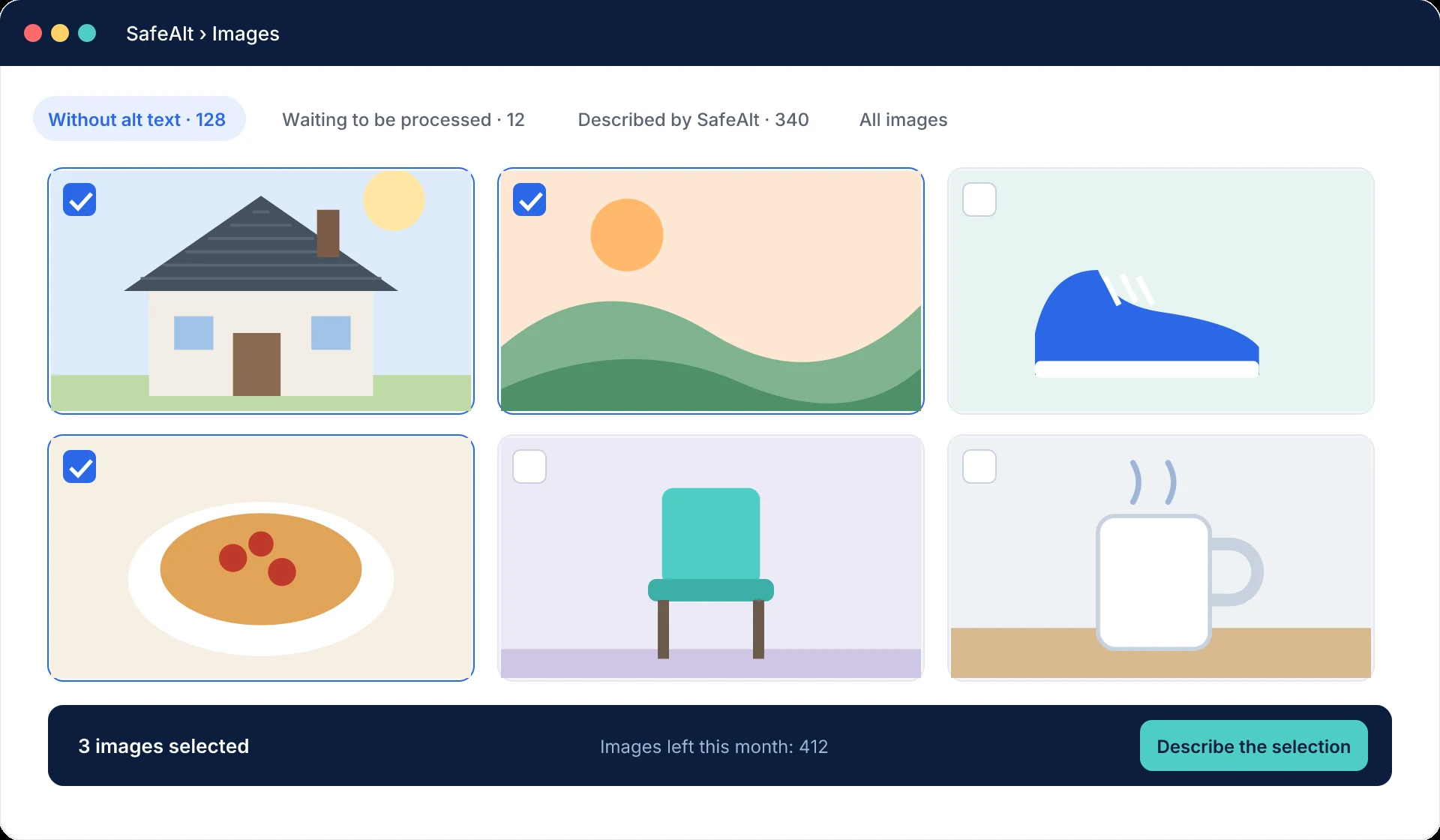
- SafeAlt’s Images screen: open the “Without alt text” tab, select images (click, Shift + click for a range, or the whole filtered list), then click Describe the selection. The images left this month are shown next to the button.
- The WordPress media library, in list view: tick images and choose the SafeAlt bulk action.
- WP-CLI, for large media libraries: see WP-CLI and Site Health.
Each image described counts towards your monthly quota. Start with the most visible images of your site if your quota is limited.
Supported images
| Criterion | Value |
|---|---|
| Formats | JPEG, PNG, WebP, GIF (first frame of an animation) and AVIF if your server can read it. |
| Minimum size | 300 px on the shortest side, by default (adjustable). Icons and pictograms are skipped this way. |
Images that cannot be processed appear at the end of the grid on the Images screen. The WooCommerce placeholder image (shown for a product without a photo) is never described: it would use up your quota for nothing.
Processing order
Images requested by hand go first, then new uploads, then batch jobs. Processing runs in the background: texts appear on their own in the media library and on the SafeAlt screen, with nothing for you to do.
Each image is really analysed: a new image is usually described within minutes, but a first pass over several thousand images can take a few days. You can leave the screen: processing continues.
Images already inserted in your pages
An image inserted in a post or page without alt text gets the one written by SafeAlt when the page is displayed, without you having to edit the page.
How your site receives the results
As soon as texts are ready, our service notifies your site with a secure call so that it fetches them. Your site also checks progress regularly, and the SafeAlt screen updates itself while it is open. A low-traffic site therefore gets its texts as quickly as any other.
Mis à jour le 12 octobre 2026
Cette page ne répond pas à votre question ? Notre équipe vous aide.
Contacter le support